
Two-factor authentication (2FA) adds an extra layer of security by requiring you to verify your identity with two different methods. You might use biometrics like fingerprints or facial recognition for quick access, or hardware tokens that generate time-sensitive codes for maximum security. Combining these with methods like SMS or authenticator apps makes your accounts much harder to compromise. Exploring these options further reveals how to best protect your online presence effectively.
Key Takeaways
- Biometric methods offer quick, seamless verification but can be vulnerable to spoofing or sensor issues.
- Hardware tokens provide high security through time-sensitive codes but require carrying an extra device.
- Combining authentication methods, like biometrics with SMS codes, enhances overall account protection.
- Ease of use varies; biometrics are fast and convenient, while hardware tokens prioritize security over simplicity.
- Understanding each method’s strengths and limitations helps in selecting the most suitable 2FA approach.

Have you ever wondered how to better protect your online accounts from hackers? One effective way is through two-factor authentication (2FA), which adds an extra layer of security beyond just your password. Instead of relying solely on something you know, like a password, 2FA requires a second form of verification. This makes it considerably harder for cybercriminals to gain access, even if they’ve stolen your password. There are several methods to choose from, each with its own strengths and weaknesses.
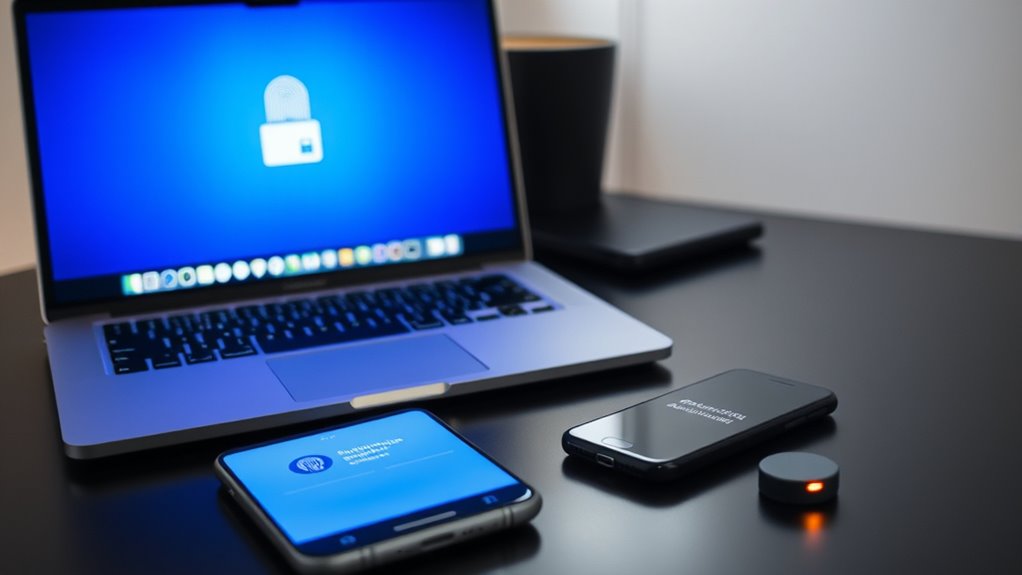
Biometric security is one popular method. It uses unique physical features, such as your fingerprint, facial recognition, or even iris scans, to verify your identity. Biometric authentication is convenient because you don’t need to remember any codes or carry extra devices; your body becomes the key. However, it’s not foolproof. If someone manages to spoof your biometric data or if your device’s sensors are compromised, your security could be at risk. Still, for many users, biometric security offers a quick, seamless way to confirm their identity, especially on smartphones and laptops with built-in sensors.
Biometric security offers quick, seamless identity verification but isn’t foolproof against spoofing or sensor compromise.
Hardware tokens are another common method for 2FA. These are physical devices, often small keychain-sized gadgets, that generate time-sensitive codes you input during login. Hardware tokens are highly secure because they’re separate from your computer or phone, making them resistant to malware or phishing attacks that might target software-based authentication methods. When you use a hardware token, you’re essentially carrying a dedicated security device, which provides a tangible layer of protection. The downside is that these tokens can be lost or stolen, and they require you to carry around an extra device. Despite this, they’re favored by organizations and individuals who prioritize maximum security, especially for sensitive accounts like banking or corporate systems.
Both biometric security and hardware tokens serve different needs. Biometrics excel in ease of use and speed, making them ideal for everyday login scenarios. Hardware tokens, meanwhile, are better suited for situations where security takes precedence over convenience. Combining these methods with other 2FA options, like SMS codes or authenticator apps, gives you a robust defense against hacking attempts. Ultimately, choosing the right method depends on your specific security needs and how much effort you’re willing to invest in protecting your digital life. By understanding the strengths and limitations of each, you can better decide which 2FA method aligns with your security priorities. Understanding 2FA methods helps users make informed choices about their digital security.
Frequently Asked Questions
Is Two-Factor Authentication Legally Required for All Online Services?
You might wonder if two-factor authentication (2FA) is legally required for all online services. Currently, legal compliance and regulatory standards vary by region and industry. Some sectors, like finance and healthcare, mandate 2FA to protect sensitive data, but many other services don’t have this requirement. You should check specific regulations applicable to your location and industry to make certain you’re meeting the necessary legal standards for security.
How Often Should Users Update Their Authentication Methods?
Did you know that over 80% of data breaches involve weak or stolen credentials? To stay secure, you should regularly update your authentication methods. Aim for an authentication refresh every 3 to 6 months, depending on your risk level. Frequent updates improve security, so don’t wait too long—keeping your authentication fresh reduces vulnerability and keeps your information safer.
What Are the Costs Associated With Implementing Two-Factor Authentication?
When considering two-factor authentication, you should look into the cost analysis to understand potential expenses. Implementing it involves initial setup costs, such as software or hardware, and ongoing maintenance. You might face implementation challenges like integrating with existing systems or training staff. Although there are costs, many find the added security worth the investment, as it considerably reduces the risk of unauthorized access and data breaches.
Can Two-Factor Authentication Be Bypassed by Hackers?
You might wonder if hackers can bypass two-factor authentication. While it substantially enhances security, it’s not foolproof. Hackers can exploit phishing attacks to trick you into revealing codes or use hardware vulnerabilities in devices or authentication apps. Staying vigilant helps; avoid clicking suspicious links and keep your devices updated. Remember, combining strong security practices with two-factor authentication offers the best protection against these threats.
How Does Two-Factor Authentication Impact User Convenience and Productivity?
Did you know that 85% of users report that two-factor authentication slightly impacts their user experience? While it adds a layer of security, it can sometimes slow down workflow efficiency and cause minor inconveniences. However, most users accept this trade-off for better protection. Overall, two-factor authentication balances security with usability, ensuring your accounts stay safe without substantially hindering your productivity or ease of access.
Conclusion
As you navigate the digital landscape, two-factor authentication acts like a sturdy gatekeeper, guarding your sensitive information with an extra layer of security. Imagine yourself standing at a locked door, the key in your hand, knowing that only you can open it with your chosen method—be it a text, an app, or a biometric scan. With each method, you build a fortress around your online world, making it harder for intruders to breach your digital sanctuary.