Many homeowners overlook critical digital safety mistakes that leave their devices and networks vulnerable. You might reuse passwords across accounts, skip software updates, or stick with default router passwords. Ignoring two-factor authentication or unsecured Wi-Fi also increases risks. Unprotected smart devices and outdated firmware can serve as entry points for hackers. Staying aware of these common oversights is essential. Keep going to discover practical steps to strengthen your home’s digital defenses and stay safer online.
Key Takeaways
- Failing to update devices and software regularly leaves security vulnerabilities unpatched.
- Using default or weak passwords for Wi-Fi and connected devices increases hacking risks.
- Neglecting to enable two-factor authentication weakens account protection.
- Ignoring cybersecurity habits like avoiding unsafe links and reusing passwords heightens vulnerability.
- Overlooking the security settings of smart home gadgets creates potential entry points for cyber threats.

Many people underestimate how vulnerable their home digital environment can be, leaving common security gaps that hackers easily exploit. One of the biggest oversights is neglecting cybersecurity habits that could otherwise keep your devices and data safer. It’s easy to fall into a routine of using the same passwords across multiple accounts or ignoring software updates, but these habits considerably weaken your defenses. Consistently practicing good cybersecurity habits, like enabling two-factor authentication and being cautious about the links you click, creates a much stronger barrier against cyber threats.
Neglecting cybersecurity habits and reuse of passwords leave homes vulnerable; practicing good habits strengthens your defenses against cyber threats.
Another critical area often overlooked is password management. Many folks rely on simple or repetitive passwords, making it easier for hackers to access personal accounts. Without a robust password management system, it’s tempting to use memorable but weak passwords such as “password123” or “admin,” which are among the first guesses in hacking attempts. Instead, you should adopt a password management tool that generates and stores complex, unique passwords for each account. This minimizes the risk of a single breach compromising multiple accounts and reduces the temptation to reuse passwords.
People also tend to ignore the importance of regularly updating their devices and applications. Firmware and software updates often include patches for security vulnerabilities that hackers could exploit. Skipping these updates leaves your devices exposed to known threats. By setting automatic updates whenever possible, you ensure your devices stay protected without extra effort. Additionally, keeping software up-to-date is essential because it patches known vulnerabilities that hackers frequently target. Regularly reviewing device security settings can further enhance your protection.
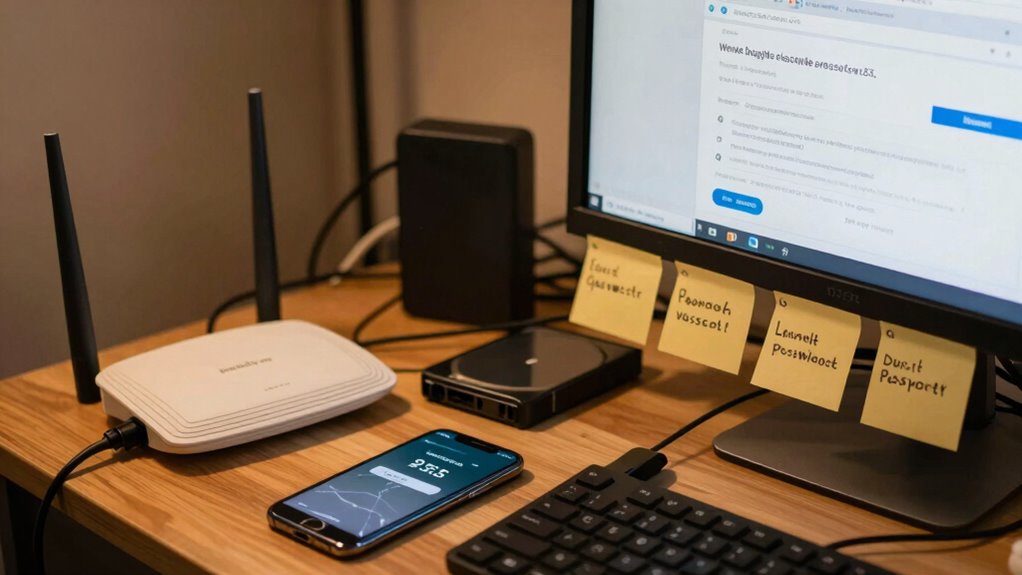
Many don’t realize that their home Wi-Fi network can be a weak link in their digital security. Default passwords for routers are easy targets for hackers, so changing them to strong, unique passwords is essential. Additionally, enabling encryption like WPA3 helps protect your network traffic from eavesdroppers. Securing your Wi-Fi not only shields your devices but also prevents unauthorized access to your entire home network. Furthermore, these networks in particular can serve as gateways for larger cyberattacks if left unsecured.
Lastly, people often overlook the security of connected devices, such as smart home gadgets. These devices can be entry points for cyberattacks if left unsecured. Changing default passwords, updating firmware regularly, and disabling unnecessary features can markedly improve their security. Remember, every device connected to your network is a potential vulnerability, so treat them with the same care as your computers and smartphones. Regularly reviewing device security settings helps maintain a safer digital environment overall. Staying informed about emerging threats and security best practices can further strengthen your defenses.

NordPass Premium, Unlimited Devices, 2-Year, Password Manager, Digital Code
Automatically fill out login details. Save time online, let NordPass autofill login details for you. All it takes…
As an affiliate, we earn on qualifying purchases.
As an affiliate, we earn on qualifying purchases.
Frequently Asked Questions
How Often Should I Update My Home Wi-Fi Password?
You should update your home Wi-Fi password every few months to guarantee strong security. Incorporate password rotation regularly, so if someone gains access, it’s short-lived. Use strong encryption like WPA3 to protect your network from intruders. Changing passwords frequently reduces the risk of unauthorized access, especially if you connect multiple devices. Remember, a strong, unique password combined with encryption keeps your home network safer from digital threats.
Are Default Device Passwords Safe to Keep?
A stitch in time saves nine, and that applies to your device passwords too. Default device passwords are rarely secure, putting your data at risk. You should change them immediately, emphasizing password complexity and device encryption. Strong, unique passwords make it harder for hackers to access your devices. Never keep default passwords; instead, customize them for each device to guarantee your home network stays safe and protected.
What Are Common Signs of a Compromised Smart Device?
You’ll notice signs of a compromised smart device if it responds slowly, behaves erratically, or shows unfamiliar activity. Unauthorized access might cause strange noises, unexpected restarts, or new devices appearing in your network. Check your device firmware regularly, as outdated firmware can be a vulnerability. If you suspect a breach, update the firmware immediately, change passwords, and scan your network for unauthorized access to protect your smart home.
How Can I Protect My Children From Online Threats at Home?
You can protect your children from online threats by implementing parental controls on devices and apps they use. Set clear boundaries with screen time management to prevent excessive exposure and discuss online safety openly. Regularly monitor their activity, encourage open communication, and educate them about potential dangers. By actively managing their digital environment, you help create a safer online space and foster responsible online habits.
Is Using Public Wi-Fi Safe for Home-Connected Devices?
Public Wi-Fi risks are real; around 80% of public networks lack proper security. You shouldn’t use them for home-connected devices without precautions. To stay safe, enable a secure connection, use a VPN, and avoid accessing sensitive info. Always verify the network’s authenticity, and don’t forget to turn off sharing settings. Protect your devices by following these secure connection tips to prevent potential cyber threats.

TP-Link AX1800 WiFi 6 Router (Archer AX21) – Dual Band Wireless Internet, Gigabit, Easy Mesh, Works with Alexa – A Certified for Humans Device, Free Expert Support
DUAL-BAND WIFI 6 ROUTER: Wi-Fi 6(802.11ax) technology achieves faster speeds, greater capacity and reduced network congestion compared to…
As an affiliate, we earn on qualifying purchases.
As an affiliate, we earn on qualifying purchases.
Conclusion
So, next time you ignore those tiny security tips or reuse that same weak password, just remember—you’re basically inviting hackers over for a cozy dinner. Who needs digital safety when you can have the thrill of potential identity theft or data breaches instead? Don’t be surprised if your smart fridge starts gossiping about your grocery list or your Wi-Fi gets hacked during your Netflix binge. Stay safe, or enjoy the chaos—you’ve been warned!

Thetis Pro-C FIDO2 Security Key Passkey Device with USB C & NFC, TOTP/HOTP Authenticator APP, FIDO 2.0 Two Factor Authentication 2FA MFA, Works with Windows/macOS/Linux/Gmail/Facebook/Dropbox/GitHub
FIDO2/Passkey Authentication – Secure, passwordless login with supported platforms. Check if your intended service supports hardware keys before…
As an affiliate, we earn on qualifying purchases.
As an affiliate, we earn on qualifying purchases.

WiFi Wireless Alarm System for Home Security – 24/7 Protection Smart Home Devices 4.3" Touch Screen, GSM/4G+WiFi, App Instant Alerts, No Monthly Fee, Alexa Compatible for Villa, Kids Safety (24 pcs)
𝐃𝐮𝐚𝐥 𝐖𝐢𝐅𝐢 + 𝟒𝐆 𝐒𝐞𝐜𝐮𝐫𝐢𝐭𝐲: Equipped with a 2.4GHz WiFi and 2G/4G connection (5G not supported), this home…
As an affiliate, we earn on qualifying purchases.
As an affiliate, we earn on qualifying purchases.