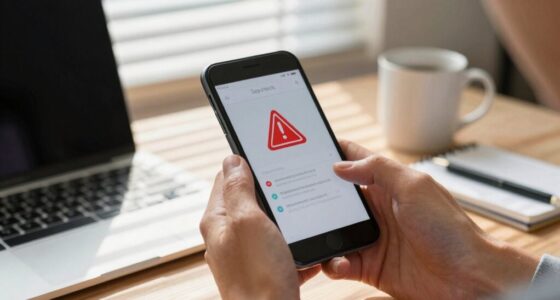
To spot malicious emails, watch for red flags like suspicious sender addresses, typos, or unusual language. Be wary of urgent messages that pressure you to act quickly or ask for personal information. Hover over links to see if they match official URLs and avoid opening unexpected attachments. If something feels off, trust your instincts and verify through official channels. Stay alert, and you’ll uncover more tips to protect yourself from scams.
Key Takeaways
- Check for suspicious sender addresses or slight typos in the email domain.
- Hover over links to verify they direct to legitimate, matching websites.
- Be wary of urgent language pressuring quick action or sharing personal data.
- Avoid opening unexpected attachments from unknown or unverified sources.
- Look for inconsistencies in language, formatting, or unusual requests for sensitive information.

Have you ever received an email that just didn’t sit right? Maybe it looked official but had strange wording, or the sender’s address seemed off. These are common signs of phishing attempts, and recognizing them can save you from falling victim to cybercriminals. One of the most frequent tactics attackers use is email spoofing, where the sender’s address appears to come from a trusted source, like your bank or a coworker, but in reality, it’s forged. Spoofed emails can be convincing, making it harder to distinguish between legitimate messages and malicious ones. Always double-check the sender’s email address carefully; even a tiny typo or unusual domain can be a red flag.
Watch for suspicious sender addresses to spot potential email spoofing and protect yourself from phishing scams.
Another warning sign is suspicious attachments. Phishing emails often include files that seem harmless at first glance—like invoices, receipts, or urgent notices—but contain malware or viruses. When you open these suspicious attachments, malware can infect your device, giving hackers access to your personal information or turning your computer into part of a botnet. Never open attachments unless you’re completely sure about their origin. If an email claims to be from a trusted source but seems out of character, contact that entity directly using a known phone number or official website to verify its authenticity.
Pay attention to the language and tone of the message. Phishing emails often create a sense of urgency or fear, urging you to act quickly without thinking. Phrases like “Your account will be suspended,” “Immediate action required,” or “Verify your information now” are common tactics to pressure you into clicking links or providing sensitive info. Be wary of emails that ask for personal data, passwords, or financial details—legitimate organizations usually don’t request this information via email. Instead, they encourage secure, direct communication.
Look closely at the links embedded in the email. Hover over any hyperlink before clicking—if the URL looks suspicious, mismatched, or unfamiliar, don’t click it. Phishers often disguise malicious links to look like reputable websites but redirect to malicious ones designed to steal your data. Remember, if an email seems suspicious, trust your instincts. It’s better to delete it or report it to your IT department rather than risk compromising your security. Staying vigilant about these red flags can make all the difference in protecting your personal and professional information from cyber threats. Additionally, understanding email spoofing and how it manipulates sender information can help you better identify deceptive messages.
Tool Phishing Text Email detection by Natural language processing with Machine Learning- Research paper
As an affiliate, we earn on qualifying purchases.
As an affiliate, we earn on qualifying purchases.
Frequently Asked Questions
How Common Are Phishing Attacks Worldwide?
Phishing attacks are incredibly common worldwide, affecting individuals and organizations alike. You should know that email security is vital in defending against these threats. Cyber awareness helps you recognize suspicious emails and avoid falling victim. Because attackers constantly evolve their tactics, staying informed and vigilant is essential. By understanding how frequent these attacks are, you can better protect your personal and professional information from malicious attempts.
What Industries Are Most Targeted by Phishing Scams?
You should know that certain industries face more targeted attack strategies due to their valuable data or financial assets. Financial services, healthcare, and technology are prime targets for industry-specific scams, making them more vulnerable to phishing attacks. Cybercriminals customize their tactics to exploit these sectors’ weaknesses. Staying alert and understanding these targeted attack strategies help you recognize suspicious emails and protect your organization from falling victim to such scams.
Can Legitimate Companies Send Phishing Emails?
Legitimate companies can sometimes send phishing emails, often unintentionally, which can confuse recipients about email authenticity. Scammers use similar scam tactics to mimic official communications, making it harder to spot malicious emails. You should always verify the sender’s email address, look for suspicious links, and check for urgent or unusual requests. Recognizing these signs helps protect you from falling victim to scams, even if the email appears to come from a legitimate company.
What Tools Can Help Identify Phishing Emails?
Think of your inbox as a garden needing constant tending. To keep malicious weeds out, use email filtering tools and anti phishing software. These tools act like a vigilant gardener, catching suspicious messages before they reach you. They analyze email headers, links, and sender reputation, helping you spot potential threats early. Regular updates and training also sharpen your defenses, so you can confidently weed out phishing emails and protect your digital space.
How Should I Report a Suspected Phishing Email?
When you suspect a phishing email, follow your organization’s reporting procedures promptly. First, avoid clicking any links or downloading attachments. Use email verification tools if available, and then forward the email to your IT or security team. Clearly mark it as suspicious, providing any relevant details. Your quick action helps protect everyone and guarantees the threat is addressed swiftly, keeping your network secure.

Email Verifier – Email Verification Tool
Email Verification
As an affiliate, we earn on qualifying purchases.
As an affiliate, we earn on qualifying purchases.
Conclusion
Watch out for phishing red flags like urgent language or suspicious links. For example, imagine receiving an email claiming your bank account is compromised and urging immediate action—only to realize it’s a scam. Staying alert and verifying sources can save you from costly mistakes. Always double-check sender details and avoid clicking on shady links. Remember, your vigilance is your best defense against falling victim to malicious emails. Stay cautious and protect your personal information.

McAfee Total Protection 5-Device | AntiVirus Software 2026 for Windows PC & Mac, AI Scam Detection, VPN, Password Manager, Identity Monitoring | 1-Year Subscription with Auto-Renewal | Download
DEVICE SECURITY – Award-winning McAfee antivirus, real-time threat protection, protects your data, phones, laptops, and tablets
As an affiliate, we earn on qualifying purchases.
As an affiliate, we earn on qualifying purchases.

Postfix: The Definitive Guide: A Secure and Easy-to-Use MTA for UNIX
Used Book in Good Condition
As an affiliate, we earn on qualifying purchases.
As an affiliate, we earn on qualifying purchases.