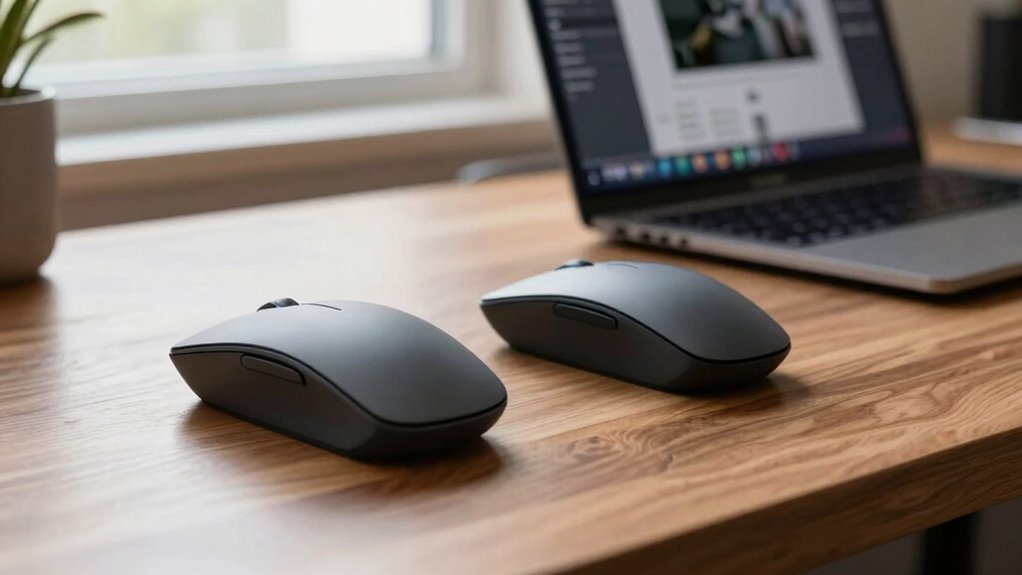

When searching for vertical mice to alleviate wrist pain, comfort and ergonomic design take center stage. The Logitech Lift stands out as the overall best for its balanced features and comfortable grip. For those looking for affordability without sacrificing ergonomics, the UGREEN Wireless Mouse offers quiet clicks and solid performance. Meanwhile, the Logitech MX Vertical is ideal for users who need precision and a premium feel. The main tradeoffs in this category revolve around price versus customization and the level of ergonomic support. Keep reading for a detailed breakdown of these options and more to find the best fit for your needs.

Get health and wellness essentials delivered free with Prime
- Fast, free delivery on millions of items
- Prime Video, Amazon Music and more included
- Member-only deals all year
Key Takeaways
- Top picks balance ergonomic design with ease of use, making them suitable for long work sessions.
- Higher-priced options often provide better build quality, customizable buttons, and more precise tracking.
- The most affordable choices generally deliver decent comfort but may lack advanced features or durability.
- Design variations, such as grip style and button placement, significantly impact user comfort and efficiency.
- Tradeoffs between price, customization, and ergonomic features are common, so prioritizing your main concern is key.
| Logitech Lift Vertical Ergonomic Wireless Mouse – Graphite |  | Best Overall for Comfort and Compatibility | Connectivity: Bluetooth Low Energy or Logi Bolt USB | Battery Life: Up to 2 years | Color: Graphite | VIEW ON AMAZON | See Our Full Breakdown |
| Logitech MX Vertical Wireless Mouse Ergonomic Design – Graphite |  | Best for Precision and High-End Comfort | DPI: 4000 | Angle: 57° | Design: Ergonomic, vertical | VIEW ON AMAZON | See Our Full Breakdown |
| UGREEN Ergonomic Wireless Mouse, Bluetooth & 2.4G Wireless, Quiet Clicks |  | Best for Multi-Device Users on a Budget | Design: Ergonomic vertical | Connectivity: Bluetooth & 2.4G wireless | Buttons: 5-button layout | VIEW ON AMAZON | See Our Full Breakdown |
| TECKNET Ergonomic Wireless Vertical Mouse, 4800 DPI, Bluetooth & USB, Silent, 3-Device Switching |  | Best for Multi-Device Power Users and Precise Control | DPI: 4800/3200/2400/1600/1200/800 | Connectivity: Bluetooth 5.0/3.0, 2.4GHz USB | Battery: 2 AAA batteries (not included) | VIEW ON AMAZON | See Our Full Breakdown |
| Lekvey Ergonomic Wireless Vertical Mouse |  | Best for Long-Term Comfort and Compatibility | DPI Levels: 800 / 1200 / 1600 | Battery Life: Over 150 hours | Size: 5.0″ x 3.0″ x 2.5″ | VIEW ON AMAZON | See Our Full Breakdown |
| Uineer Vertical Ergonomic Wireless Bluetooth Mouse, 3-Device Compatibility |  | Best for Multi-Device Flexibility and Visual Appeal | Wireless Technology: Bluetooth 5.0/4.0, 2.4G | Device Compatibility: Windows, Mac OS X, Linux, Android, iOS 13+ | DPI Settings: 800/1200/1600/2400 | VIEW ON AMAZON | See Our Full Breakdown |
| Anker 2.4G Wireless Ergonomic Vertical Mouse |  | Best for Budget-Friendly Comfort and Simplicity | Wireless Technology: 2.4 GHz | DPI Resolution: 800/1200/1600 | Dimensions: 120*62.8*74.8 mm | VIEW ON AMAZON | See Our Full Breakdown |
| Logitech Lift Vertical Ergonomic Wireless Mouse – Graphite (Renewed) | | Best for Long-Lasting Comfort and Quiet Operation | Connectivity: Bluetooth LE or Logi Bolt USB | Buttons: 4 | Battery Life: Up to 2 years | VIEW ON AMAZON | See Our Full Breakdown |
| Wireless Ergonomic Vertical Mouse with Adjustable DPI and 6 Buttons |  | Best for Web Browsing and Customizable Sensitivity | Connection: 2.4G USB Wireless | DPI: 800/1200/1600 | Buttons: 6 | VIEW ON AMAZON | See Our Full Breakdown |
| ProtoArc EM11 NL Wireless Ergonomic Vertical Mouse, Rechargeable, Black |  | Best for Small to Medium Hands and Quiet Work Environments | Compatibility: Windows 8+, macOS 10.12+, Android 4.3+ | Connectivity: Bluetooth, USB-A | Battery: 500mAh Li-Ion rechargeable | VIEW ON AMAZON | See Our Full Breakdown |
| vertical mice for wrist pain | Connectivity |
|---|---|
| Logitech Lift Vertical Ergonom | Bluetooth Low Energy or Logi Bolt USB |
| Logitech MX Vertical Wireless | Wireless |
| UGREEN Ergonomic Wireless Mous | Bluetooth & 2.4G wireless |
| TECKNET Ergonomic Wireless Ver | Bluetooth 5.0/3.0, 2.4GHz USB |
| Lekvey Ergonomic Wireless Vert | — |
| Uineer Vertical Ergonomic Wire | — |
| Anker 2.4G Wireless Ergonomic | — |
| Logitech Lift Vertical Ergonom | Bluetooth LE or Logi Bolt USB |
| Wireless Ergonomic Vertical Mo | — |
| ProtoArc EM11 NL Wireless Ergo | Bluetooth, USB-A |
More Details on Our Top Picks
Logitech Lift Vertical Ergonomic Wireless Mouse – Graphite
The Logitech Lift stands out for its ergonomic shape that promotes a natural wrist posture, making it ideal for users who spend long hours at their desks. Compared to the Lekvey, it offers a more refined design with customizable buttons, though it may not fit larger hands comfortably. Its long battery life of up to two years reduces the hassle of frequent charging, and its compatibility across Windows, macOS, and Linux makes it versatile. The quiet clicks are a bonus for shared workspaces, but the reliance on Bluetooth or USB might pose issues for setups requiring wired or alternative connections. Overall, this mouse provides a balanced mix of comfort, longevity, and broad compatibility, making it suitable for sustained daily use.
Pros:- Ergonomic design reduces wrist strain during extended use
- Long battery life of up to two years minimizes maintenance
- Compatible with multiple operating systems including Windows, macOS, and Linux
- Quiet clicking minimizes noise disturbance
Cons:- May not comfortably fit larger hand sizes
- Requires Bluetooth or a USB receiver, limiting wired setup options
Best for: Office workers or professionals seeking a reliable, versatile ergonomic mouse for long daily use
Not ideal for: Users with larger hands or those preferring wired connections, as it may not fit comfortably or connect via traditional cables
- Connectivity:Bluetooth Low Energy or Logi Bolt USB
- Battery Life:Up to 2 years
- Color:Graphite
- Material:Certified post-consumer recycled plastic (70%)
Our verdict“This mouse is a strong choice for professionals who prioritize comfort and device compatibility in a wireless ergonomic design.”
Logitech MX Vertical Wireless Mouse Ergonomic Design – Graphite
The Logitech MX Vertical is designed for users who need a more precise cursor control combined with ergonomic benefits. Its 4000 DPI sensor surpasses the UGREEN’s adjustable DPI, offering smoother and more accurate movements, especially for detailed tasks. The 57° vertical angle encourages a natural handshake position, easing wrist pressure better than standard vertical models. However, its premium price point may deter budget-conscious buyers, and it requires a USB receiver, which isn’t ideal for users seeking a fully wireless setup without dongles. Compared to the Lekvey, it provides more advanced sensor technology but at a higher cost. This model makes the most sense for professionals who demand precision alongside wrist comfort, despite the investment required.
Pros:- High-precision 4000 DPI sensor for accurate control
- Ergonomist-approved design reduces wrist and muscle strain
- Natural handshake position minimizes wrist pressure
- Suitable for long hours of detailed work
Cons:- Premium price may be too high for casual users
- Requires a USB receiver, adding to desk clutter
Best for: Creative professionals or power users needing high accuracy and ergonomic comfort
Not ideal for: Casual users or those on a strict budget, as the price may be prohibitive
- DPI:4000
- Angle:57°
- Design:Ergonomic, vertical
- Connectivity:Wireless
- Surface:Textured rubber
- Packaging:FSC-certified paper
Our verdict“Ideal for users who value precise cursor control combined with ergonomic benefits and are willing to pay a premium.”
UGREEN Ergonomic Wireless Mouse, Bluetooth & 2.4G Wireless, Quiet Clicks
The UGREEN ergonomic mouse offers flexible dual wireless connectivity with Bluetooth and 2.4G, making it a practical choice for multi-device setups. Its vertical design helps maintain a natural wrist position, but the presence of only five buttons might limit advanced users compared to the Lekvey. Quiet clicks are beneficial for shared workspaces, and DPI adjustment adds versatility. However, the reliance on a single AA battery can lead to frequent replacements, and the side buttons are not compatible with macOS, which could be frustrating for Mac users. Compared to the TECKNET, it offers equal quiet operation but with slightly fewer customization options. This model suits users seeking an affordable, multi-device ergonomic mouse with quiet operation and straightforward features.
Pros:- Supports Bluetooth and 2.4G wireless for versatile connectivity
- Quiet clicks reduce noise in shared environments
- Supports multiple devices with easy switching
- Adjustable DPI for different tasks
Cons:- Requires one AA battery, leading to ongoing replacements
- Limited buttons, not suitable for advanced workflows
- Side buttons are incompatible with Mac OS
Best for: Budget-conscious multi-device users seeking basic ergonomic comfort
Not ideal for: Power users or those needing advanced programmable buttons or rechargeable batteries
- Design:Ergonomic vertical
- Connectivity:Bluetooth & 2.4G wireless
- Buttons:5-button layout
- DPI Levels:1000/1600/2000/4000
- Battery:1 AA battery
- Range:Up to 10 meters
Our verdict“A practical, budget-friendly option for multi-device users who prioritize quiet operation and ergonomic design.”
TECKNET Ergonomic Wireless Vertical Mouse, 4800 DPI, Bluetooth & USB, Silent, 3-Device Switching
The TECKNET vertical mouse excels in multi-device environments with seamless switching among three devices via Bluetooth or USB. Its 4800 DPI setting surpasses the UGREEN’s, providing precise cursor movement for detailed tasks. The ergonomic right-handed design reduces wrist strain, and its silent operation makes it suitable for quiet workspaces. However, it requires two AAA batteries, which might be inconvenient for users preferring rechargeable options. The side buttons are not compatible with macOS, limiting its appeal for Mac users. Compared to the Lekvey, it offers more device-switching flexibility and higher DPI, but at the cost of battery convenience. This model is best for professionals who need high accuracy and multi-device support in a quiet, ergonomic package.
Pros:- Seamless switching between three devices
- High 4800 DPI for precise control
- Ergonomic design reduces wrist pressure
- Quiet operation minimizes workspace noise
Cons:- Requires 2 AAA batteries, which are not included
- Side buttons are not compatible with macOS
- Designed specifically for right-handed users
Best for: Power users managing multiple devices and needing precise control with minimal workspace noise
Not ideal for: Casual users or those seeking rechargeable batteries, as it uses disposable AAA batteries
- DPI:4800/3200/2400/1600/1200/800
- Connectivity:Bluetooth 5.0/3.0, 2.4GHz USB
- Battery:2 AAA batteries (not included)
- Compatibility:Windows, Mac, Chrome, Linux
- Design:Right-handed ergonomic vertical
- Silent Operation:Yes
Our verdict“A strong choice for multi-device, precision-focused users who value quiet operation and ergonomic comfort despite battery management needs.”
Lekvey Ergonomic Wireless Vertical Mouse
The Lekvey ergonomic mouse emphasizes a scientifically designed shape that promotes healthy wrist and arm positions, making it suitable for users who need long-term wrist relief. Its DPI options are limited to three levels—800, 1200, and 1600—less versatile than the TECKNET or UGREEN, but sufficient for everyday tasks. Its rechargeable battery offers over 150 hours of use, reducing downtime, and it’s compatible across a wide range of operating systems, including older Windows versions and Linux. The size may not be suitable for small hands, and users might need an adjustment period to get accustomed to its shape. Compared to the other picks, it balances comfort with affordability and broad system compatibility, but at a slightly larger size.
Pros:- Scientifically designed to reduce wrist strain
- Rechargeable with over 150 hours of use per charge
- Wide compatibility with various operating systems
- Plug-and-play with USB receiver
Cons:- Size may be too large for small hands
- Limited DPI options compared to competitors
- Requires time to adapt to its shape
Best for: Long-term users needing ergonomic relief and broad OS support, especially on older or Linux systems
Not ideal for: Small-handed users or those seeking highly customizable or high-DPI options
- DPI Levels:800 / 1200 / 1600
- Battery Life:Over 150 hours
- Size:5.0″ x 3.0″ x 2.5″
- Compatibility:Windows 2000/XP/Vista/7/8/10, Linux, Mac OS
- Rechargeable:Yes
- Wireless:Yes
Our verdict“This mouse suits users seeking a scientifically designed ergonomic device with broad OS compatibility and long battery life, despite its larger size.”
Uineer Vertical Ergonomic Wireless Bluetooth Mouse, 3-Device Compatibility
This mouse stands out for its seamless switching between three devices, making it ideal for users juggling multiple screens or platforms. Its natural handshake grip effectively reduces wrist strain, similar to the ProtoArc EM11 NL, but with added versatility thanks to Bluetooth and 2.4G connectivity. The 7-color ambient light adds a stylish touch, though the battery life details are unclear, which could be a concern for heavy users. Compared to the Anker mouse, it offers more device options but may lack the long battery life or straightforward simplicity some users prefer. The adjustable DPI up to 2400 ensures it adapts to various tasks, from casual browsing to design work. However, side buttons are non-functional on macOS, limiting its appeal for Mac users who need quick navigation tools.
Pros:- Supports seamless switching between three devices
- Ergonomic handshake grip reduces wrist strain
- Adjustable DPI up to 2400 for versatile use
- Stylish 7-color ambient lighting enhances visual appeal
Cons:- Side buttons are not functional on macOS
- Battery life details are not specified
- Designed for small to medium hands, may not fit larger hands well
Best for: Users who need to switch effortlessly between multiple devices and enjoy customizable aesthetics.
Not ideal for: Large-handed users or those seeking a mouse with proven long battery life and extensive Mac compatibility.
- Wireless Technology:Bluetooth 5.0/4.0, 2.4G
- Device Compatibility:Windows, Mac OS X, Linux, Android, iOS 13+
- DPI Settings:800/1200/1600/2400
- Battery Life:Auto-sleep after 10-30 mins, low-battery LED
- Color:7-color ambient light
- Connection Ports:USB-A
- Suitable Hand Size:Small-medium hands
Our verdict“This mouse is best suited for multi-device users who value style and ergonomic design, but it may fall short for long battery life or larger hands.”
Anker 2.4G Wireless Ergonomic Vertical Mouse
The Anker vertical mouse emphasizes comfort with a neutral hand position, making it a reliable choice for those new to ergonomic mice. Its adjustable DPI up to 1600 allows for precise control without overwhelming complexity, standing out from more feature-rich options like the Logitech Lift, which offers longer battery life but at a higher price point. The inclusion of webpage navigation buttons adds convenience, though the unavoidable click sounds may be distracting in quiet environments. Its lightweight design (3.4 oz) and energy-efficient operation make it suitable for daily use, especially for users who prefer straightforward functionality over advanced features. The lack of included batteries is a minor hassle, but overall, it offers good value for those seeking a simple, comfortable vertical mouse.
Pros:- Ergonomic design reduces wrist and arm strain
- Adjustable DPI for precise tracking
- Webpage navigation buttons for easier browsing
- Lightweight and energy-efficient
Cons:- Key click sounds are unavoidable
- Batteries are not included
- Limited advanced customization
Best for: Beginners or budget-conscious users seeking ergonomic comfort without extra bells and whistles.
Not ideal for: Power users who need silent clicks or advanced customization options.
- Wireless Technology:2.4 GHz
- DPI Resolution:800/1200/1600
- Dimensions:120*62.8*74.8 mm
- Weight:3.4 oz
- Batteries:2 AAA batteries (not included)
- Warranty:18 months
Our verdict“This mouse provides an affordable, ergonomic solution for newcomers or budget-minded users but lacks some premium features.”
Logitech Lift Vertical Ergonomic Wireless Mouse – Graphite (Renewed)
The Logitech Lift excels at promoting natural wrist and forearm posture with a sleek, quiet-click design, making it well-suited for prolonged use. Its long battery life of up to two years surpasses many competitors like the ProtoArc EM11 NL, which offers rechargeability but requires more frequent charging. The textured grip and thumb rest contribute to comfort, although the renewed status and possible warranty limitations may concern some buyers. This model’s compatibility with multiple operating systems, including iPadOS and Linux, broadens its appeal, but it requires either Bluetooth or a USB receiver, which may be inconvenient for some. Its minimalist design may not satisfy those wanting more buttons or customizable features.
Pros:- Promotes natural wrist and forearm posture
- Quiet clicks reduce noise disturbance
- Battery life up to 2 years minimizes charging needs
- Compatible with multiple OS including Linux and iPadOS
Cons:- Requires Bluetooth or USB receiver for connection
- Renewed product may have limited warranty
- Design may not suit users who want many programmable buttons
Best for: Professionals seeking a durable, quiet mouse for all-day work across various devices and platforms.
Not ideal for: Users who prefer a wired or rechargeable mouse without the need for Bluetooth or USB receivers, or those wanting extensive button customization.
- Connectivity:Bluetooth LE or Logi Bolt USB
- Buttons:4
- Battery Life:Up to 2 years
- Compatibility:Windows, macOS, iPadOS, Chrome OS, Linux
- Design:Vertical ergonomic shape with textured grip
- Material:Post-consumer recycled plastic (70%)
Our verdict“This mouse is ideal for professionals prioritizing comfort and quiet operation, though it relies on Bluetooth or a receiver and may have limited warranty support.”
Wireless Ergonomic Vertical Mouse with Adjustable DPI and 6 Buttons
This mouse emphasizes versatility with adjustable DPI and extra buttons, making it a strong choice for users who want both ergonomic comfort and web navigation convenience. Its 6 buttons include forward/back functions, but Mac OS users will find these unavailable, similar to the ProtoArc EM11 NL. The vertical design effectively reduces wrist strain, but the need for 2 AAA batteries and the lack of customizable buttons for Mac might be limiting for power users. The stable wireless connection up to 10 meters enhances usability in various workspaces, though the extra buttons may not be fully compatible with all systems. Overall, it offers a balanced mix of comfort and functionality at a reasonable price.
Pros:- Ergonomic vertical design reduces wrist strain
- Adjustable DPI for sensitivity control
- Includes forward/back web navigation buttons
- Stable wireless connection up to 10 meters
Cons:- Forward/back buttons are not compatible with Mac OS
- Requires 2 AAA batteries (not included)
- Limited customization for advanced users
Best for: Web surfers or office workers desiring a customizable ergonomic mouse with extra buttons for productivity.
Not ideal for: Mac users who need full button functionality or those seeking a rechargeable model.
- Connection:2.4G USB Wireless
- DPI:800/1200/1600
- Buttons:6
- Batteries:2 AAA (not included)
- Max working distance:10 meters
Our verdict“This mouse offers ergonomic comfort with web navigation features, perfect for Windows users but less so for Mac users needing full button functionality.”
ProtoArc EM11 NL Wireless Ergonomic Vertical Mouse, Rechargeable, Black
The ProtoArc EM11 NL is designed with smaller hands in mind, offering a natural grip that reduces wrist strain. Its rechargeable 500mAh lithium-ion battery adds convenience for frequent users, while silent clicking minimizes noise, making it suitable for shared workspaces. Its dual connectivity—Bluetooth and USB-A—mirrors the flexibility of the Uineer model but with the advantage of rechargeable power. However, the vertical orientation introduces a slight learning curve for first-time users, and the buttons are not programmable, which could be limiting for those seeking customization. Compatibility is broad, but the all-button layout and lack of forward/back buttons on Mac may be drawbacks for some.
Pros:- Reduces wrist strain with ergonomic design
- Quiet clicking for noise-sensitive environments
- Rechargeable battery with USB-C charging
- Supports multiple devices via Bluetooth and USB-A
Cons:- Learning curve for vertical design
- Buttons are not programmable
- Limited button functions for advanced users
Best for: Small to medium hand users who prioritize quiet operation and rechargeable power for daily use.
Not ideal for: Larger-handed users or those requiring extensive button customization or forward/back functions on Mac OS.
- Compatibility:Windows 8+, macOS 10.12+, Android 4.3+
- Connectivity:Bluetooth, USB-A
- Battery:500mAh Li-Ion rechargeable
- DPI Levels:1000/1600/2400
- Color:Black
Our verdict“This mouse is perfect for smaller hands and quiet workplaces, though it may require adjustment for first-time vertical users and lacks extensive customization.”

How We Picked
I evaluated these vertical mice based on key factors that influence comfort and usability for wrist pain: ergonomic design, build quality, tracking accuracy, customization options, connectivity versatility, and value for money. Devices were rated on how well they reduce wrist strain during extended use, with particular attention to grip comfort and button placement. I prioritized products that offer a natural hand position, reliable connectivity, and durability. The ranking reflects a balance of these factors, with the best overall picks excelling across multiple criteria while more affordable options focus on core ergonomic benefits. The goal was to identify mice that truly support wrist health without overwhelming users with unnecessary features.| vertical mice for wrist pain | Connectivity |
|---|---|
| Logitech Lift Vertical Ergonom | Bluetooth Low Energy or Logi Bolt USB |
| Logitech MX Vertical Wireless | Wireless |
| UGREEN Ergonomic Wireless Mous | Bluetooth & 2.4G wireless |
| TECKNET Ergonomic Wireless Ver | Bluetooth 5.0/3.0, 2.4GHz USB |
| Lekvey Ergonomic Wireless Vert | — |
| Uineer Vertical Ergonomic Wire | — |
| Anker 2.4G Wireless Ergonomic | — |
| Logitech Lift Vertical Ergonom | Bluetooth LE or Logi Bolt USB |
| Wireless Ergonomic Vertical Mo | — |
| ProtoArc EM11 NL Wireless Ergo | Bluetooth, USB-A |
Factors to Consider When Choosing Vertical Mice For Wrist Pain
Choosing the right vertical mouse for wrist pain involves understanding several critical factors. While ergonomic shape is paramount, other aspects like adjustability, connectivity, and build quality can significantly influence your experience. Being aware of common pitfalls, such as selecting a mouse that doesn’t fit your hand or lacks sufficient support, helps ensure you make a satisfying investment. This guide outlines the key considerations to help you prioritize what matters most based on your specific needs and budget.Ergonomic Design and Fit
An ergonomic shape that conforms to your hand’s natural posture is essential for reducing wrist strain. Look for mice with a vertical orientation that promotes a handshake grip, which minimizes twisting of the wrist. Consider your hand size; a too-small or too-large mouse can negate ergonomic benefits, so many models offer adjustable or different size options. Poor fit can lead to discomfort over time, so testing for comfort or choosing reputable brands with good reviews on ergonomics is advisable.
Adjustability and Customization
Features like adjustable DPI settings, programmable buttons, and customizable angles can enhance comfort and usability. For wrist pain, having quick access to frequently used functions without straining your hand is a plus. However, more customization often comes with increased complexity and cost. Be wary of overly complicated setups if you prefer simplicity—balance your need for personalization with ease of use to avoid frustration or accidental misclicks.
Build Quality and Durability
A well-constructed mouse made from quality materials ensures consistent performance and longevity, especially if you’re using it daily. Cheaper models might save money initially but tend to wear out faster or have loose parts that compromise ergonomic support. Investing in a sturdy product can pay off long-term, reducing the need for replacements and maintaining your wrist health over time.
Connectivity Options and Compatibility
Wireless mice with Bluetooth or 2.4G USB receivers offer a clutter-free workspace, but check for reliable connection stability—especially if you work in a multi-device environment. Compatibility with your operating system and ease of switching between devices are also important. Wired options, while less sleek, can provide more consistent performance if latency is a concern, but they may restrict your movement and reduce comfort.
Price versus Value
High-end models often provide superior ergonomics, better materials, and more features, but they come at a premium. Budget options can still offer good wrist relief, especially if they have a comfortable shape and sufficient support, but may lack advanced customization or durability. Consider your usage frequency and whether investing more upfront will pay off in long-term comfort and health. Avoid the trap of choosing the cheapest option without ergonomic validation, as it might not deliver the wrist relief you seek.
Frequently Asked Questions
Can a vertical mouse really help reduce wrist pain?
Yes, a vertical mouse encourages a more natural hand position, reducing the twisting of the wrist associated with traditional mice. This alignment can decrease strain on the tendons and muscles, often alleviating discomfort during prolonged use. However, individual anatomy varies, so it’s important to choose a design that fits your hand comfortably. Using a vertical mouse consistently over time can contribute significantly to wrist health, especially when combined with ergonomic workspace practices.
What should I look for in a vertical mouse to ensure it helps my wrist pain?
Focus on models that support a handshake grip, promote a relaxed wrist posture, and have adjustable DPI for precise control. The size and shape should fit your hand comfortably without requiring excessive grip force. Additional features like programmable buttons can improve efficiency while reducing repetitive movements. Remember that a well-made mouse with quality materials can also prevent discomfort caused by poor build quality or cheap plastics.
Is wireless better than wired for wrist comfort?
Wireless mice remove cable clutter, allowing freer movement and reducing tension in your wrist and arm. However, they rely on stable connections; lag or disconnects can be frustrating and counterproductive. Wired mice tend to have more consistent connectivity but can restrict your movement if the cable is stiff or too short. Ultimately, the choice depends on your workspace setup and personal preference—both can support wrist health if ergonomically designed.
Are more expensive vertical mice worth the investment?
Higher-priced models often feature better materials, more precise tracking, and extensive customization options, which can enhance comfort and reduce wrist strain. They tend to have a more refined ergonomic design tailored to support prolonged use. However, if budget is tight, many mid-range options still provide effective wrist relief. The key is ensuring the mouse fits your hand and promotes a natural posture, regardless of price.
Can I use a vertical mouse if I have small hands?
Absolutely, but selecting a model that suits smaller hands is crucial. Look for options with a compact design or adjustable features that allow a snug fit. A mouse that’s too large can cause your hand to stretch or grip tightly, negating ergonomic benefits. Trying before buying or reading detailed size specs helps ensure your wrist remains in a relaxed, natural position during use.
Conclusion
If you’re seeking the best overall solution for wrist pain, the Logitech Lift offers excellent ergonomic design and comfort for daily use. For those on a budget, the UGREEN Wireless Mouse delivers decent support without breaking the bank. If premium features and customization are priorities, the Logitech MX Vertical stands out as a top choice. Beginners or users with smaller hands might prefer simpler, more compact models. For specialized needs, such as multi-device use or adjustable DPI, some options might serve you better than others. Ultimately, selecting a vertical mouse that fits your hand comfortably and supports natural wrist posture is the most critical factor for reducing pain and preventing long-term strain.
Cold & flu season Picks
humidifiers
As an affiliate, we earn on qualifying purchases.