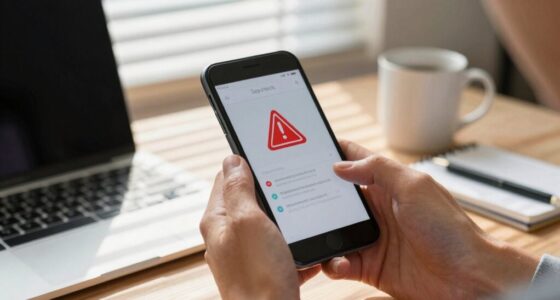

To protect elderly family members from online fraud, teach them to be cautious with unsolicited messages and never share personal information over the phone or email. Help them verify suspicious contacts directly with organizations and set up device security features like two-factor authentication. Regularly update their devices and review online activities together. By staying vigilant and teaching safe practices, you can keep them secure online—continue exploring ways to strengthen their digital safety.

Get health and wellness essentials delivered free — and shop member deals
- Fast, free delivery on millions of items
- Access to Prime Big Deal Days deals on October 6–7
- Prime Video, Amazon Music and more included
Key Takeaways
- Educate elderly family members about common online scams and warning signs.
- Set up strong, unique passwords and enable two-factor authentication on their devices.
- Regularly review and update security settings and software with them.
- Encourage verification of suspicious messages by contacting organizations directly.
- Maintain ongoing conversations about online safety to build confidence and awareness.

Scam awareness is equally *important*. Share real-world examples of common online scams targeting seniors, like fake tech support calls or lottery frauds. Make sure they understand that legitimate organizations will never ask for sensitive information over the phone or email. Encourage them to verify any suspicious communication by contacting the organization directly through official channels, rather than clicking on links or calling numbers provided in unsolicited messages. Remind them to be cautious about sharing personal details, especially with strangers online or over the phone. Additionally, understanding affiliate disclosure can help them recognize when online content might be influenced by commercial interests, which is crucial for maintaining informed judgment. Being familiar with online security best practices can further help protect them from falling victim to scams. Regularly check in on your elderly family members’ online activities and encourage open conversations about any suspicious messages they encounter. Offer to set up their devices with security features like two-factor authentication, which adds an extra layer of protection. Show them how to update their software and security settings regularly, so their devices stay protected against new threats. It is also helpful to educate them about digital literacy—the ability to critically evaluate online information—which can significantly reduce their risk of deception. Developing a security awareness mindset can further empower them to recognize and respond appropriately to potential threats. For example, teaching them how to identify phishing attempts can be a vital skill in avoiding scams. Be patient and avoid talking down to them; instead, empower them with the knowledge and confidence to manage their digital lives safely.
two-factor authentication security key
As an affiliate, we earn on qualifying purchases.
As an affiliate, we earn on qualifying purchases.
Frequently Asked Questions
What Are Common Signs of Online Fraud in Seniors?
You might notice seniors falling for phishing scams or clicking on fake websites, which are common signs of online fraud. They may become unusually anxious about money, receiving urgent calls or emails asking for personal info. Watch for unexpected purchases or account changes. If they seem confused about online activities or hesitant to share their passwords, these are red flags. Stay vigilant and regularly check in on their internet habits.
How Can I Monitor My Elderly Family’s Online Activity Securely?
You can monitor your elderly family’s online activity securely by setting up parental controls and monitoring tools that respect their privacy. Encourage digital literacy by teaching them safe browsing habits and how to recognize scams. Regularly check privacy settings on their devices and accounts to guarantee they’re protected. Stay involved gently, offering support without invading their privacy, so they feel empowered and secure while using technology.
Are There Specific Apps to Help Protect Seniors From Scams?
Yes, there are specific apps designed for senior safety and scam protection. Apps like Truecaller help identify unknown callers, reducing scam risks, while EverSafe monitors financial accounts for suspicious activity. You can also consider Parosec or Senior Safety App, which offer emergency alerts and safety features. These app recommendations help safeguard your elderly loved ones from scams, giving you peace of mind and enhancing their online security.
How Do I Report Online Fraud Targeting Elderly Individuals?
You should report online fraud targeting seniors through reporting procedures like contacting the Federal Trade Commission (FTC) via their Complaint Assistant and reporting to local law enforcement. Use legal resources such as elder advocacy groups or consumer protection agencies for guidance. Document all details of the scam, including emails or messages, to assist investigations. Prompt reporting helps authorities take action and can prevent others from falling victim.
What Legal Protections Exist for Elderly Victims of Online Scams?
Oh, the joy of knowing your elderly loved ones have legal rights and victim support in their corner! Legally, they can report scams to authorities, who investigate and sometimes even prosecute scammers. Victim support services offer counseling and guidance through recovery. Laws like the Elder Justice Act and the FTC’s protections help shield seniors, ensuring they’re not left to fend off fraudsters alone. It’s a true legal safety net, woven with care.
elderly friendly antivirus software
As an affiliate, we earn on qualifying purchases.
As an affiliate, we earn on qualifying purchases.
Conclusion
By staying vigilant and informed, you’re the shield guarding your loved ones from the shadows of online fraud. Imagine their trust shining brightly, untouched by the dark clouds of deception. With your guidance, they’ll navigate the digital world safely, like a lighthouse standing firm against stormy seas. Your efforts create a safe harbor where their smiles can flourish, free from fear. Together, you build a fortress of protection, ensuring their peace of mind in every click.
As an affiliate, we earn on qualifying purchases.
As an affiliate, we earn on qualifying purchases.
Fall Picks
fall essentials
As an affiliate, we earn on qualifying purchases.