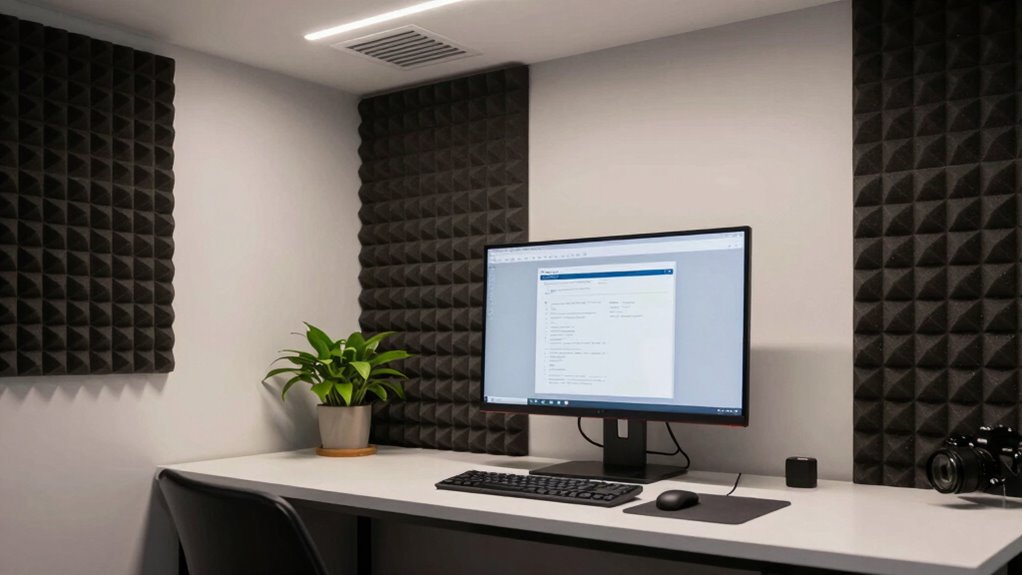

To build a low-noise digital environment, start by customizing your notification settings to only receive urgent alerts, and turn off non-essential notifications. Set specific times to disconnect from screens and communicate boundaries with colleagues. Use tools like website blockers and focus timers to limit digital interruptions. Incorporate ambient sounds or white noise to drown out distractions and create a quiet mental space. If you keep applying these strategies, you’ll discover more ways to maintain your focus effectively.

Get health and wellness essentials delivered free with Prime
- Fast, free delivery on millions of items
- Prime Video, Amazon Music and more included
- Member-only deals all year
Key Takeaways
- Use website blockers and focus apps to limit digital distractions during work periods.
- Set specific times to disconnect from emails, social media, and news to reduce interruptions.
- Customize device notifications to only receive urgent alerts, minimizing digital ambient noise.
- Create digital boundaries by establishing designated focus sessions without screen access.
- Maintain awareness of digital habits and adjust settings to foster a calmer, low-noise environment.

Have you ever felt overwhelmed by the constant digital noise around you? It’s a common experience in today’s hyper-connected world. Notifications ping, emails flood your inbox, and social media updates demand your attention, all pulling you away from focused work or relaxation. To build a low-noise digital environment, you need to control the ambient sound that surrounds you and develop effective distraction management strategies. This isn’t about blocking everything out completely but creating a space where digital interruptions are minimized, allowing you to concentrate more deeply.
Reducing digital noise helps you focus deeply and create a calmer, more productive environment.
Start by managing your notifications. Turn off non-essential alerts on your devices. Email and social media notifications are the biggest culprits, constantly vying for your attention. Instead, designate specific times to check these platforms rather than letting them interrupt your flow. This simple step reduces the digital ambient sound that constantly competes for your focus. Next, consider customizing your device’s notification settings to only alert you to urgent matters. The fewer interruptions, the quieter your digital environment becomes, making it easier to stay in a state of flow.
Creating a physical environment that supports distraction management also plays a crucial role. Use noise-canceling headphones or play ambient sound or white noise to drown out distracting background noise. This can help you maintain a state of calm and focus, especially in noisy surroundings. When your physical environment is quieter, the digital ambient sound becomes less intrusive, and your mind can better tune into the task at hand. Additionally, incorporating products with glycolic acid into your skincare routine can help improve your overall skin clarity and radiance, contributing to a more confident and relaxed mindset.
Implementing digital boundaries is another key step. Set specific blocks of time where you disconnect entirely from screens—no emails, no social media, no news. During these periods, focus on deep work or relaxation without digital interference. Communicate these boundaries to colleagues or friends so they respect your digital quiet times. This practice not only reduces distraction but also helps you develop healthier digital habits.
Lastly, consider using tools designed to support distraction management. Apps that block distracting sites, focus timers, or website limiters can help you stay on task. These tools act as gatekeepers, preventing the digital ambient sound from overwhelming you and allowing you to maintain a low-noise environment for better focus. Building a low-noise digital environment isn’t about eliminating all digital noise but about consciously shaping your surroundings and habits. When you do, you create a space where your attention remains anchored, and your productivity and well-being flourish.
noise-canceling headphones for focus
As an affiliate, we earn on qualifying purchases.
As an affiliate, we earn on qualifying purchases.
Frequently Asked Questions
How Does Background Noise Impact Digital Focus and Productivity?
Background noise, like ambient sound, can considerably impact your digital focus and productivity by causing cognitive distraction. When unexpected sounds occur, your brain shifts attention away from tasks, reducing efficiency and increasing mental fatigue. This distraction hampers your ability to concentrate deeply, making it harder to stay on track. Minimizing ambient sound helps create a low-noise digital environment, allowing you to maintain focus and boost overall productivity.
What Are Common Digital Distractions to Eliminate First?
Digital distractions can derail your focus, so start by silencing notifications and setting screen time limits. Constant alerts, endless emails, and social media swipes tempt you away from deep work. Managing these minute interruptions minimizes mental muddle, making space for concentration. Prioritize productivity by turning off non-essential notifications and establishing strict screen time rules, helping you create a calm, clutter-free digital domain that boosts your focus and efficiency throughout the day.
Can Specific Apps Help Reduce Digital Noise Effectively?
Yes, specific apps can help reduce digital noise effectively. Look for apps that offer app customization, allowing you to block or limit distracting applications during focus periods. Notification management features are essential; they let you silence or filter notifications, so you’re not constantly interrupted. Using these tools together creates a calmer digital environment, helping you stay focused and productive without the constant buzz of unnecessary alerts.
How Often Should I Review and Update My Digital Environment?
You should review and update your digital environment regularly, like tending a garden. Every week or two, check for digital clutter—unused apps, notifications, or distractions—and clear them out. Also, assess your ambient sound setup to make certain it’s still effective. Regular updates help you stay focused and prevent digital noise from creeping back in. Staying proactive keeps your environment calm, organized, and conducive to deep work.
Are There Hardware Tools That Assist in Creating a Quieter Digital Space?
Yes, hardware improvements like noise-canceling headphones and acoustic solutions can help create a quieter digital space. Noise-canceling headphones block out unwanted digital and environmental sounds, boosting your focus. Acoustic solutions, such as soundproof panels or desk dividers, reduce ambient noise from your surroundings. Combining these tools guarantees a more peaceful digital environment, allowing you to concentrate better and stay productive without distractions.
white noise machine for concentration
As an affiliate, we earn on qualifying purchases.
As an affiliate, we earn on qualifying purchases.
Conclusion
Think of your digital space as a peaceful garden. By trimming unnecessary notifications, pruning distractions, and planting calming apps, you create a serene environment where focus blossoms. Just like a well-tended garden, your digital world flourishes when noise is kept at bay. With mindful tending, you’ll enjoy clearer skies of concentration and a more tranquil mind. Nurture this digital oasis daily, and watch your productivity bloom like a vibrant, quiet sanctuary.
website blocker app for productivity
As an affiliate, we earn on qualifying purchases.
As an affiliate, we earn on qualifying purchases.
As an affiliate, we earn on qualifying purchases.
Cold & flu season Picks
humidifiers
As an affiliate, we earn on qualifying purchases.