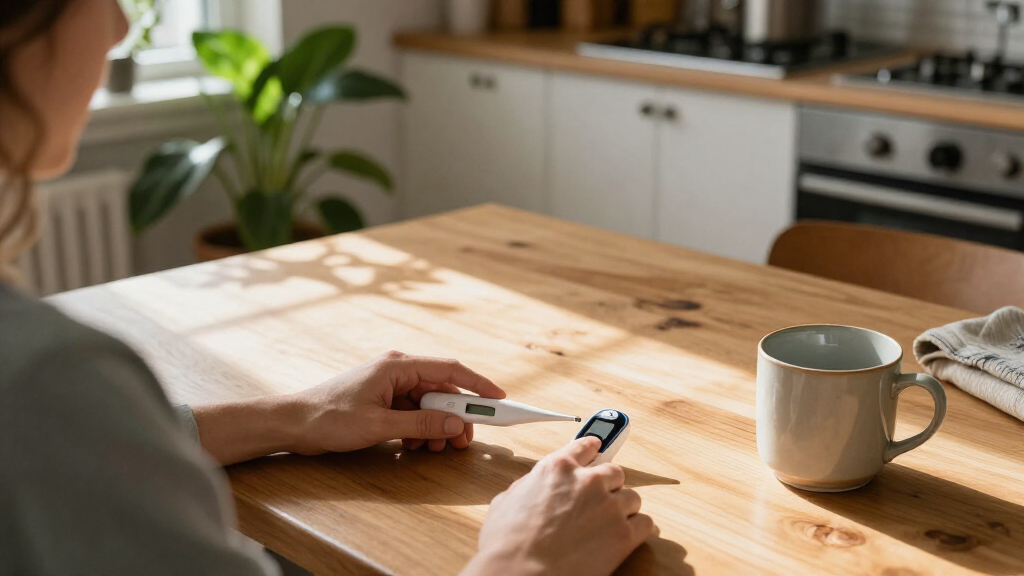

Use this guide to choose and set up a home wellness device, such as a thermometer, blood pressure monitor, fitness tracker, or light therapy lamp. It is for beginners who want to use a device as directed and understand what its readings can and cannot tell them. Allow 30-60 minutes to review your needs, check the device, and complete its first setup; routine use takes longer depending on the device.

Get health and wellness essentials delivered free with Prime
- Fast, free delivery on millions of items
- Prime Video, Amazon Music and more included
- Member-only deals all year
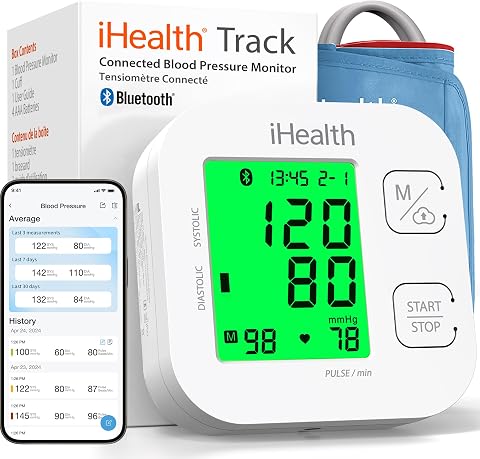
iHealth Track Smart Upper Arm Blood Pressure Monitor with Wide-Range Cuff
- ✔ Measurement: Upper-arm blood pressure
- ✔ Display: Large, multicolor backlit display
- ✔ On-device memory: Up to 99 readings

LifePro LumiCure Red Light Therapy Torch
- ✔ Light type: Red and near-infrared
- ✔ Wavelength count: Three; individual wavelengths not specified
- ✔ Format: Handheld torch

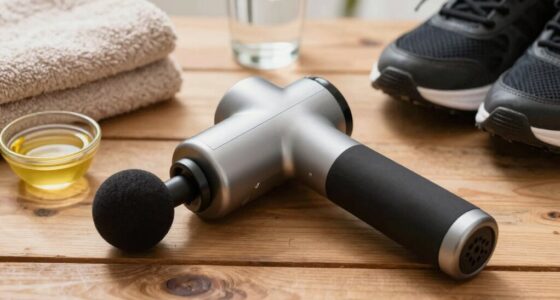
INIA Body Sculpting and Recovery Device with Core, Legs, and Arms Modes
- ✔ Features: Warming heat, vibration massage, red light, and soothing massage
- ✔ Modes: Core, Legs, Arms
- ✔ Electrode head: Curved three-electrode design
A home device can support a wellness routine or help you record information to discuss with a health professional. It does not replace a diagnosis or urgent care. Follow the instructions supplied with your specific model.
Difficulty: Beginner | Time: 30-60 minutes for setup; daily use varies by device
What You’ll Need
Tools & Materials:
- The device and its manufacturer’s instructions
- Required batteries, charger, or power adapter
- A phone or account only if the device requires an app
Knowledge:
- The basic purpose of the device you plan to use
- How to read its instructions and follow its safety warnings
Choose the device for a specific need rather than buying several devices at once. If you have a health condition, use medications that affect readings, are pregnant, or are unsure whether a device is suitable for you, ask a health professional or pharmacist before relying on it. Do not delay care for severe or sudden symptoms while taking a measurement.
iHealth Track Smart Upper Arm Blood Pressure Monitor with Wide-Range Cuff
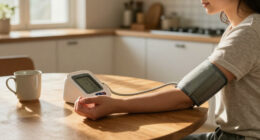
For buyers whose idea of wellness includes keeping a record of blood pressure readings, the iHealth Track is the most straightforward match in this group. Its large, color-coded backlit screen and two-button operation make the measurement process easier to follow than a device built around several body-care modes. It stores up to 99 readings on the monitor, which is useful when we want a record available without opening an app; Bluetooth syncing can extend that record through a compatible phone.That defined purpose is also the main reason it ranks ahead of the LumiCure and INIA for general home use: its specifications explain what it measures and how readings can be managed. It is still a focused health tool, not a relaxation device or massage option. The cuff fits upper arms measuring 8.7–16.5 inches, so we should check fit before choosing it. App syncing also depends on compatible phone software and Bluetooth, and the listed 12-month warranty is a practical ownership detail to weigh.The monitor can alert users to detected heart rhythm disturbances, but that feature should be understood as an alert rather than a diagnosis. Compared with the other two picks, it offers the clearest feedback loop for a repeatable routine, while asking less of the buyer in terms of accessories or setup than INIA’s massage-oil use. Choose it for measurement and record keeping; skip it if the goal is body massage or light-based care.
Pros:
- Large, multicolor backlit display
- Stores up to 99 readings on the device
- Can sync readings to compatible iOS and Android apps
- Wide-range cuff and four AAA batteries are included
Cons:
- App syncing requires compatible phone software and Bluetooth
- Cuff fit is limited to upper arms measuring 8.7–16.5 inches
- The 12-month warranty is limited in duration
Best for: People who want a home upper-arm blood pressure monitor with readable results and stored readings.
Not ideal for: Buyers seeking a relaxation or body-care device, or anyone whose upper-arm circumference falls outside the cuff range.
Bottom line: We rank the iHealth Track first for buyers who want a clearly specified, repeatable home blood pressure tracking routine.
“We rank the iHealth Track first for buyers who want a clearly specified, repeatable home blood pressure tracking routine.”
LifePro LumiCure Red Light Therapy Torch
The LifePro LumiCure is the portable choice for someone who wants a handheld device for targeted red and near-infrared light sessions. Its wrist strap and zippered case make it easier to carry or store than the larger, body-contoured INIA device, and a simple button control keeps operation uncomplicated. That compact format suits a routine focused on specific areas rather than broad, multi-mode massage.Its central tradeoff is a lack of detail where some buyers may want precision. The listing says it combines three wavelengths but does not identify them, and it gives no dimensions or battery information. Those omissions make it harder to compare the torch with another light device or determine how sessions fit into a regular schedule. By comparison, the iHealth monitor is much more explicit about its core function and setup, while INIA describes more physical interaction through heat and vibration.We see LumiCure as the better fit when easy carrying and targeted use matter more than extensive controls. It does not provide the app-based record keeping of iHealth or INIA’s dedicated body-area modes, and buyers should not infer specific outcomes from the general light description. If detailed wavelength specifications or a known power arrangement are essential, the listing leaves questions open. For a compact light device with a carry case and strap, though, its intended role is clear.
Pros:
- Handheld design supports targeted use
- Combines red and near-infrared light across three wavelengths
- Lightweight and designed for easy carrying
- Includes a wrist strap and zippered case
Cons:
- The three wavelengths are not specified
- Dimensions and battery details are not provided
- Offers no stated app, timer, or session tracking
Best for: Buyers who want a lightweight, handheld red and near-infrared light device for targeted sessions.
Not ideal for: People who need disclosed wavelength values, dimensions, or battery details before choosing a light device.
Bottom line: We recommend LumiCure for portability and simple targeted light use when its undisclosed wavelength and power details are acceptable.
“We recommend LumiCure for portability and simple targeted light use when its undisclosed wavelength and power details are acceptable.”
INIA Body Sculpting and Recovery Device with Core, Legs, and Arms Modes
INIA is the most hands-on body-care option in the lineup. It brings together warming heat, vibration massage, and red light, with Core, Legs, and Arms modes intended for areas including the waist, arms, thighs, and calves. The curved three-electrode head is designed to follow body contours, which gives it a different job from LumiCure’s compact, targeted light approach: INIA frames light as one part of a massage routine rather than the sole focus.That combination can suit buyers who want one device for several body areas, but it also asks more of the user. The described glide-on-skin routine uses body massage oil, an included accessory, so this is not as ready-to-go as operating the iHealth monitor or carrying the LumiCure in its case. The listing also omits the power source and battery life, which makes it difficult to plan where or how long to use the device. We should treat the contouring language as product positioning, not a promised result.Compared with the other picks, INIA offers the broadest mix of physical features but the least detail about power and ongoing setup. Choose it when warmth and vibration massage across multiple areas are the priority. Skip it if we want a measurement tool, a compact light-only device, or a routine that avoids applying oil. Its three modes add choice, but the unspecified power arrangement remains a meaningful gap.
Pros:
- Combines warming heat, vibration massage, and red light
- Three modes address core, legs, and arms
- Curved three-electrode head is shaped for body contours
- Includes body massage oil for the described gliding use
Cons:
- The described gliding routine requires massage oil
- Power source and battery life are not specified
- Contouring outcomes are not established by the listed features
Best for: People seeking an at-home body massage device with heat, vibration, red light, and modes for several areas.
Not ideal for: Buyers who want a measurement device, a compact light torch, or a massage routine without body oil.
Bottom line: INIA is the broadest body-massage pick here, provided buyers are comfortable using oil and can confirm the power details.
“INIA is the broadest body-massage pick here, provided buyers are comfortable using oil and can confirm the power details.”
As an Amazon Associate we earn from qualifying purchases.
Before You Start
Check that the device is intended for your purpose and is suitable for the person who will use it. Look for the model name, age or size limits, and any warnings in the manual. For devices that measure health data, check whether the manufacturer identifies the model as validated for that use. A wellness tracker’s estimate is not necessarily a medical measurement.
Use the device in the environment and manner specified by its manufacturer. Do not use a damaged device, an unapproved power adapter, or a device with a recalled model number. Keep small parts and charging cables away from young children.
Step-by-Step Instructions
Step 1: Define what you want the device to do
Write down one practical goal, such as recording blood pressure at home, tracking daily activity, checking temperature, or supporting a light-based routine. Decide what information you want to collect and how you plan to use it. If the goal is to monitor a health condition, ask your clinician which readings, schedule, and device type are appropriate.
Tip: A single clear goal makes it easier to choose a device and avoid collecting numbers you do not need.
Check: You can describe the device’s intended purpose in one sentence and know who will use its results.
Step 2: Compare devices and check fit
Compare a small number of models against your goal, budget, and ease of use. Check the measurement range, display readability, cuff or sensor size, cleaning instructions, battery life, app requirements, and warranty. For a blood pressure monitor, confirm that the cuff fits the user’s upper arm and that the model is listed as validated by a recognized source or recommended by a clinician. For a wearable, check comfort, skin-contact guidance, and whether it works with your phone.
Tip: Do not assume that a higher price or more features means a device is more accurate or suitable.
Check: The model fits the intended user, supports the planned use, and its limitations are clear.
Step 3: Inspect the package and read the safety guidance
Match the model and accessories to the manual. Check the device, cables, sensors, and packaging for damage or missing parts. Read the sections on intended use, warnings, cleaning, storage, and when to stop using the device. Check the manufacturer’s website or local product-safety notices for recalls if you have reason to suspect one.
Tip: Keep the instructions where you can find them; setup and measurement steps differ between models.
Check: The device is intact, all required parts are present, and you have found the instructions that apply to your exact model.
Step 4: Prepare the device and its location
Charge the device or insert the specified batteries, then place it on a stable surface or put it on as directed. Choose a clean, dry location within the manufacturer’s temperature and humidity range. For app-connected devices, install the official app from your phone’s app store and review the requested permissions before connecting.
Tip: Keep the device away from heat, moisture, direct sunlight, and strong magnetic sources if the manual warns against them.
Check: The device powers on, the screen or indicator responds, and any required app recognizes it.
Step 5: Set up only the settings you need
Set the date, time, units, and user profile if the device requests them. Enter personal details accurately, especially age, height, or other information used to calculate estimates. Use a unique, strong password for any account, and do not enter sensitive details that the device does not need. Pair Bluetooth devices by following the manual rather than selecting an unfamiliar device nearby.
Tip: If the device is shared, create separate profiles when available so one person’s readings are not assigned to another.
Check: The displayed units and user profile are correct, and the device is paired only with the intended phone or account.
Step 6: Take a first reading or complete a short trial
Follow the model’s instructions for placement, posture, timing, and duration. For example, sit quietly and position an upper-arm cuff as directed before measuring blood pressure; wear a fitness tracker snugly but not painfully; or use a thermometer at the specified site. For light therapy or other energy-based devices, observe the stated distance and session length. Stop if the device causes pain, skin irritation, dizziness, or another concerning reaction.
Tip: Do not change medication or treatment based on a single home reading unless a clinician has given you a specific plan.
Check: The device completes the reading or session without an error, and you can explain how you positioned and used it.
Step 7: Record results in a consistent way
Use the device’s log or a simple note to record the date, time, result, and relevant context, such as activity, symptoms, or missed use. Take measurements on the schedule advised by your clinician or specified for the wellness routine. Avoid repeatedly measuring to chase a preferred number; follow the device’s guidance for repeat readings.
Tip: Look for patterns over time instead of treating ordinary day-to-day variation as a diagnosis.
Check: Your records identify when readings were taken and which device and user they belong to.
Step 8: Clean, store, and review the device
Clean the parts that touch skin according to the manual, using only approved products. Dry the device before storing it in a safe place, and disconnect or charge it as directed. Review the log periodically with a health professional when readings relate to a medical concern. Contact the manufacturer for device errors or service questions.
Tip: Do not submerge electronics or share skin-contact parts unless the manufacturer says they can be safely disinfected.
Check: The device is clean, undamaged, stored as directed, and its records are available for the intended review.
Common Mistakes to Avoid
- Choosing a device that does not fit the user or the intended purpose. — Check size limits, cuff or sensor fit, validation information, and the manual before purchase.
- Taking measurements in inconsistent conditions or with incorrect placement. — Follow the same preparation and positioning instructions each time, and use the model’s recommended schedule.
- Treating an estimate or one unusual result as a diagnosis. — Review trends and device limitations with a health professional; follow any care plan you already have.
- Using the wrong charger or an unapproved cleaning product. — Use only accessories and cleaning methods approved in the manufacturer’s instructions.
Troubleshooting
Problem: The device will not turn on or stops during use.
Solution: Check battery orientation, charge level, cable connection, and any reset instructions in the manual. Stop using it if the housing, cable, or battery appears damaged.
Problem: The app cannot find or sync with the device.
Solution: Confirm Bluetooth is enabled, the app has the permissions it needs, and the device is in pairing mode. Restart both devices and follow the model-specific pairing steps.
Problem: A measurement gives an error or changes sharply between attempts.
Solution: Check placement, fit, posture, and the required rest period. Repeat only as the manual or clinician advises. If readings remain unusual or symptoms are present, contact a health professional.
Problem: The device irritates skin or causes discomfort.
Solution: Stop the session, remove the device, and check the manual for fit and exposure guidance. Do not resume if symptoms persist; seek medical advice when needed.
What Success Looks Like
You have a device matched to a defined need, have set it up according to its model-specific instructions, and can complete a reading or session safely. The result is recorded with the correct user and time, the device is clean and stored as directed, and you know when its readings call for professional advice rather than a change in care on your own.
Next Steps
Use the device on the schedule recommended for its purpose, and review the manual again if you change users, accessories, or settings. Keep a record of unusual readings and share it with a clinician when relevant. Replace batteries or worn parts as instructed, install app updates from the official source, and stop using the device if it becomes damaged or repeatedly fails.
Frequently Asked Questions
Can a home wellness device diagnose a health condition?
Most wellness devices provide estimates or measurements, not a diagnosis. A clinician can interpret results alongside symptoms, history, and other information. Use a medical device only as directed for its intended purpose.
How often should I take readings?
Follow the schedule in the device instructions or the one your clinician gives you. The right frequency depends on the device and reason for use. Avoid repeated checks unless your care plan tells you to repeat a measurement.
What should I do if a result seems very different from usual?
Check that you used the device correctly and follow the instructions for repeating a reading. Note the result and any symptoms. Contact a health professional for guidance; seek urgent care for severe or sudden symptoms.
Do I need to use the manufacturer’s app?
Only if your model needs the app for setup, records, or a feature you plan to use. Review its permissions and privacy information, and confirm that the app is the official one for your device.
When should I stop using a device?
Stop if it is damaged, overheats, produces repeated errors, or causes pain, skin irritation, or other concerning effects. Follow the manual’s safety guidance and contact the manufacturer or a health professional as appropriate.