TL;DR

Get health and wellness essentials delivered free — and shop member deals
- Fast, free delivery on millions of items
- Access to Prime Big Deal Days deals on October 6–7
- Prime Video, Amazon Music and more included
Building a DIY AI workstation used to be cheaper, but rising component costs and shortages now make prebuilt systems competitive or even cheaper in some cases. Your decision depends on control, speed, and support needs, not just price.
If you’re eyeing a high-powered AI workstation, the question isn’t just about specs anymore. It’s about whether you want to assemble every piece yourself or buy a ready-made system that’s tuned, tested, and supported.
For years, building was seen as the clear way to save money — but today, that’s no longer the case. The skyrocketing prices and shortages of key components mean the cost gap has closed or even reversed. Now, it’s a tradeoff: control versus convenience, customization versus speed. This article breaks down what you need to know before making your choice in 2026.
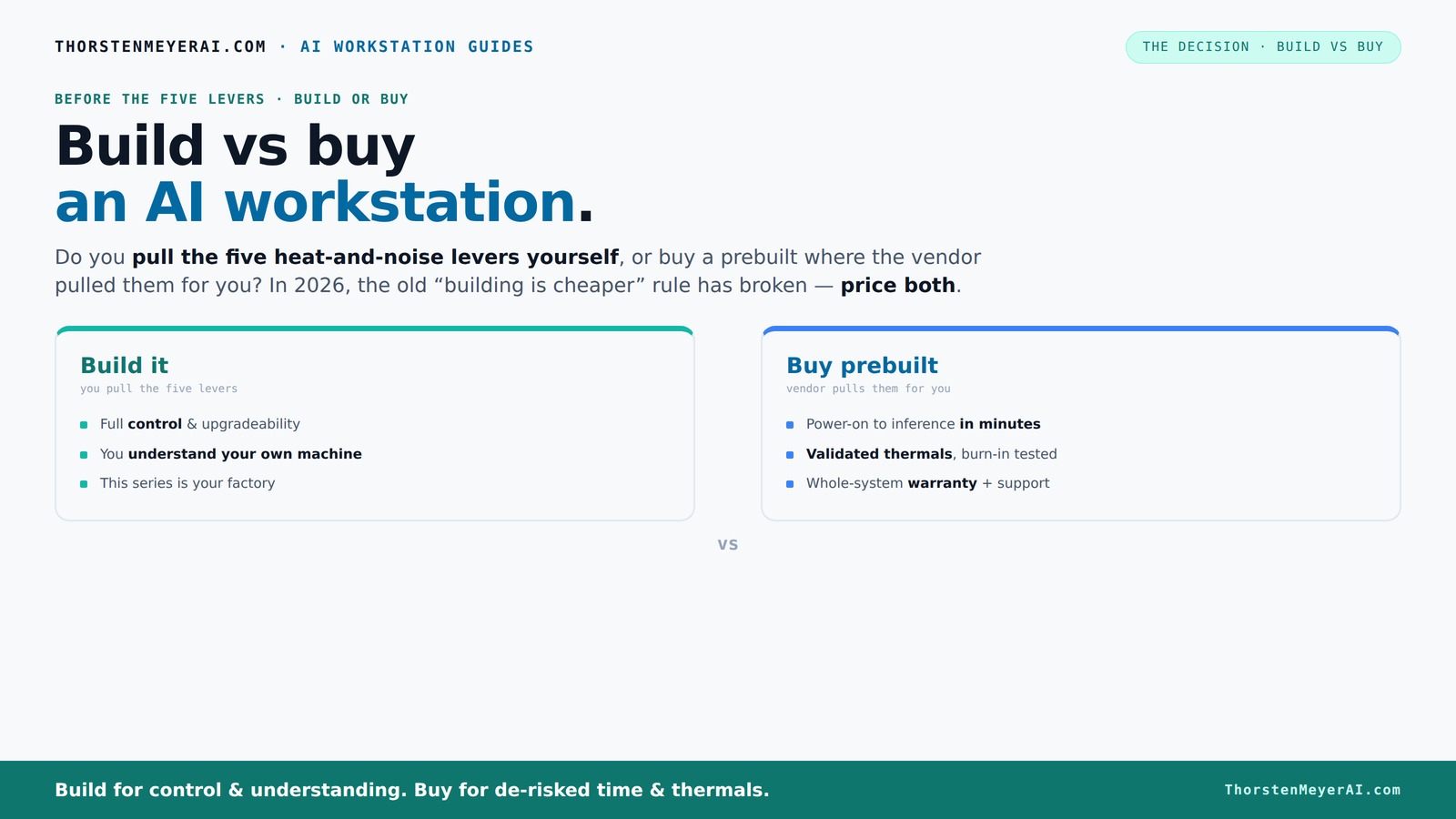
Build vs buy
an AI workstation.
The real question behind this whole series: do you pull the five heat-and-noise levers yourself, or buy a prebuilt where the vendor pulled them for you? And in 2026, the old “building is cheaper” rule has broken. Match your situation in Part 3.
Key Takeaways
- Component shortages in 2026 mean prebuilt AI workstations can often match or beat DIY costs, challenging the old rule that building is always cheaper.
- Prebuilts save time and reduce risk with factory validation, thermal tuning, and support, making them ideal for quick deployment and professional use.
- Building offers unmatched control, upgradeability, and customization—great for hobbyists, researchers, or those with specific hardware needs.
- Carefully compare total costs, including labor, troubleshooting, and support, for your specific configuration before deciding.
- AI hardware features like NPUs and software optimization are increasingly integrated into prebuilts, offering ready-to-use AI acceleration.
high performance AI workstation prebuilt
As an affiliate, we earn on qualifying purchases.
As an affiliate, we earn on qualifying purchases.
Why Building Your Own AI Workstation Might Cost More Than You Think
Building a custom AI rig isn’t just about buying parts. It’s about tuning, cooling, and fitting everything together perfectly. But the recent component shortages have flipped the script. What used to be a $1,000 DIY build can now easily cost $1,250 or more, especially if you want high-end GPUs and fast RAM.
For example, a hobbyist who built a system last year for around $1,000 now finds that the same parts—like DDR5 RAM, a top-tier GPU, and a quality power supply—cost nearly 25% more due to supply chain issues and demand spikes. This increase isn’t just a minor inconvenience; it fundamentally shifts the economics, making DIY builds less of a bargain than before. The tradeoff becomes more about the satisfaction of customization versus the actual financial savings.
According to recent data, the average DIY AI workstation in 2026 costs at least as much as a comparable prebuilt system, if not more. This parity means that the traditional advantage of building your own system to save money is eroding. You need to carefully compare both options, considering not only initial costs but also the time investment, potential troubleshooting, and the value of support services. The decision becomes less about price and more about the total ownership experience and your specific needs.
As an affiliate, we earn on qualifying purchases.
What a Prebuilt AI Workstation Gets Right (And Why It’s Not Just About Convenience)
Prebuilt systems aren’t just about saving time—they also offer a level of reliability and consistency that is difficult to achieve with a DIY approach. Leading manufacturers like Lambda or BIZON invest heavily in rigorous testing and validation processes. These include extensive stress testing under full load, thermal stability assessments, and power delivery verification, often running tests for 24–48 hours before shipment. This ensures that each system is optimized for demanding AI workloads, reducing the risk of thermal throttling or hardware failure during critical tasks.
Imagine receiving a system that has been optimized for quiet operation, thermal efficiency, and stable performance from day one. This saves you the hassle of troubleshooting and tuning, which can take days or weeks when building yourself. When a component in a prebuilt system fails, you’re not just replacing parts—you have access to dedicated support, warranties, and a system that’s been tuned for your specific workload. This can significantly reduce downtime and prevent costly errors during AI training or inference, especially in professional or time-sensitive environments.
Recent reviews indicate that a high-end prebuilt with multi-GPU configurations often matches or exceeds the total cost of a DIY setup when factoring in the time, effort, and troubleshooting avoided. The real value lies in the peace of mind, reliability, and performance consistency that factory validation provides, making prebuilts an attractive option for many users who need dependable, ready-to-run systems.
As an affiliate, we earn on qualifying purchases.
Defining Your Needs: Control, Speed, or Support?
Before deciding whether to build or buy, it’s crucial to assess your specific needs. Do you prioritize maximum control and customization, allowing you to upgrade or modify hardware as your projects evolve? Or is your primary concern speed—getting a powerful, reliable system up and running as quickly as possible? Perhaps you require extensive support and warranty services to ensure minimal downtime during critical AI tasks.
Understanding these priorities helps you choose the right path. Hobbyists and researchers who enjoy tinkering and hardware customization may lean toward building, despite the higher initial costs. Conversely, professionals or teams with tight deadlines and high-stakes projects might prefer the peace of mind and streamlined setup that prebuilts offer. Recognizing what matters most to your workflow ensures that your investment aligns with your goals.
professional AI workstation build kit
As an affiliate, we earn on qualifying purchases.
As an affiliate, we earn on qualifying purchases.
Frequently Asked Questions
Is it cheaper to build or buy an AI workstation in 2026?
Due to component shortages and bulk buying, prebuilt systems often match or beat DIY costs today. Always compare specific configurations, as the landscape shifts rapidly.Which option offers better performance for AI workloads?
Both can deliver high performance, but prebuilts often include validated cooling and power delivery, reducing thermal throttling. Building allows tailored hardware, but requires tuning for peak performance.Are prebuilts worth it if I want to develop or run models locally?
Yes. Prebuilts save setup time, come with optimized thermals, and include support, making them a reliable choice for ongoing AI work without the hassle of assembly.Can I upgrade a prebuilt system later?
It depends. Many high-end prebuilts are designed for future upgrades, but some use proprietary parts. Building your own gives you straightforward access for upgrades.What parts matter most for an AI workstation?
GPU and VRAM are critical for AI training and inference, but CPU, RAM, cooling, and power supply also influence stability, noise, and future expandability.Conclusion
In 2026, the choice between build and buy isn’t just about saving money. It’s about what you value: control, speed, or peace of mind. Both paths have their merits, but understanding the real tradeoffs helps you make the right call for your AI ambitions.
Remember, a well-chosen system—built or bought—can power your AI projects for years. The best decision is the one aligned with your workflow, support needs, and future plans. So, which lever will you pull?
Evergreen bestsellers Picks
bestsellers
As an affiliate, we earn on qualifying purchases.